Ready system · Runs inside Claude Code

Faceless Shorts Factory

Claude Faceless Shorts Creator · Arabic Edition

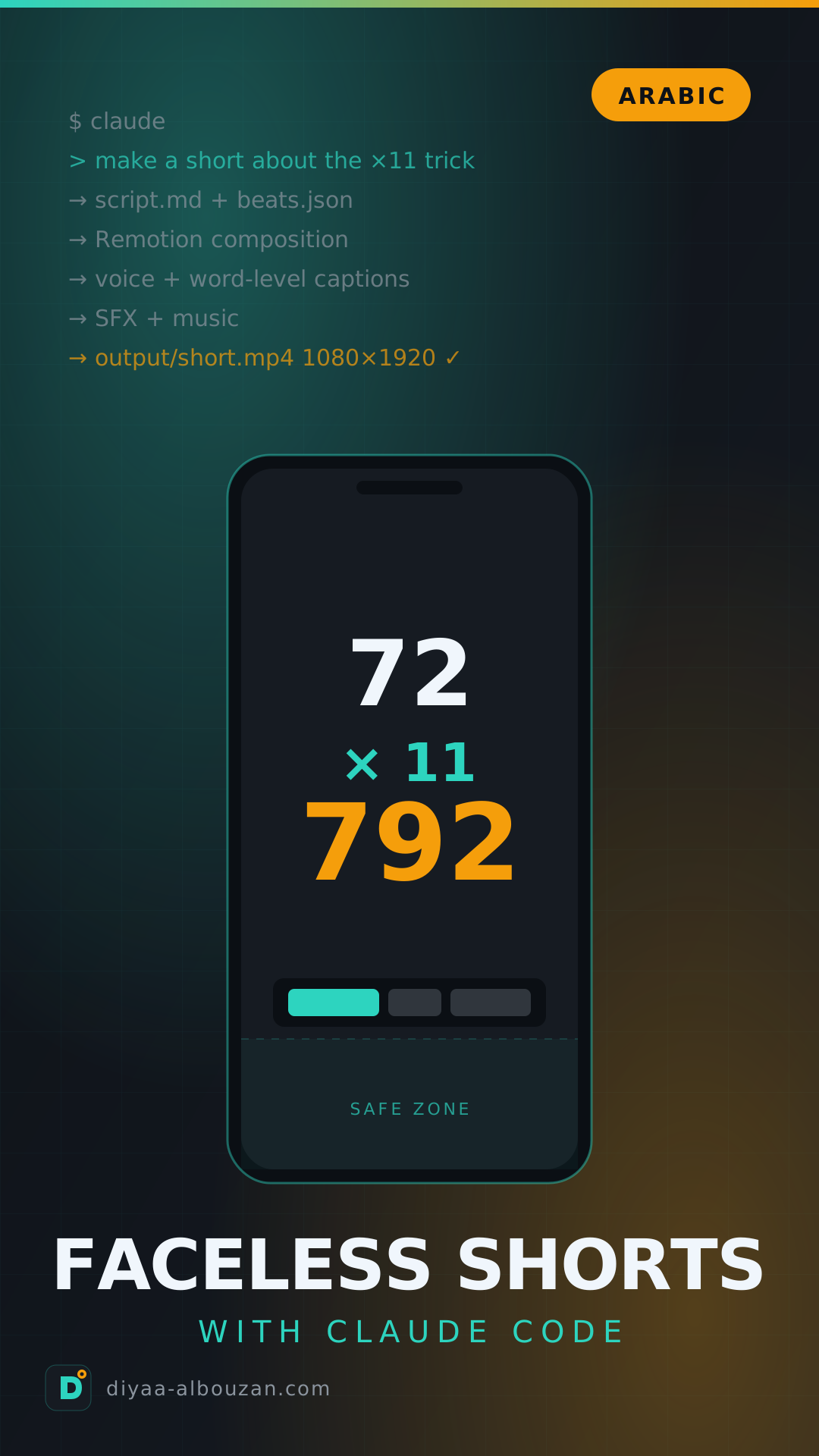
No camera, no mic, no editing software, no stock footage. You type one sentence — “make a short about the multiply-by-11 trick” — and Claude Code plans the video, writes the motion as code, checks the frames itself, records the voice-over with word-by-word synced captions, adds the SFX, and hands you a 1080×1920 MP4 ready to post.

34 ready videos — watch them all on this page5 production pipelines26 ready skills, each explained with an exampleFull step-by-step Arabic guideLocal dashboard
Launch offer50 copies left of the first 50

The first 50 copies at $49 instead of $79 — then the regular price returns.

$79$49
Secure paymentDownload link sent instantly to your emailFree lifetime updates
Arabic edition 2026
A real short straight out of the system — no manual edits

Watch all 34 videos — exactly as they came out of the system

Real output

These are final clips from the very system you will receive — not one of them was edited by hand. Every video has a script.md and beats.json you can open and rebuild, or ask for a version on your own topic.

Arabic versions — 12 shorts with a Modern Standard Arabic voice and RTL captions12

Chess — the four-move checkmate trapTSX pipeline · Chess
Math — multiply by 11 in your headTSX pipeline · Math
Algorithms — Bubble vs QuickTSX pipeline · Algorithms
Git — undo any mistakeTSX pipeline · Developer tips
Probability — the Monty Hall paradoxTSX pipeline · Math
Excel — Flash Fill reads your mindTSX pipeline · Excel
Kids’ story — Little BeepTSX pipeline · AI images for kids
Security — this is not PayPalTSX pipeline · Cybersecurity
Music — four chords in every songTSX pipeline · Music theory
Money — the 1% fee that eats 24%TSX pipeline · Money
Maps — the map lied to youTSX pipeline · Geography
Physics — they are not weightless, they are fallingTSX pipeline · Physics

AI & developer tools — 14 shorts in the channel’s brand14

Claude SkillsTSX pipeline · /diyaa profile
ATS résumésTSX pipeline · /diyaa profile
Claude in ExcelTSX pipeline · /diyaa profile
Eval-awarenessTSX pipeline · /diyaa profile
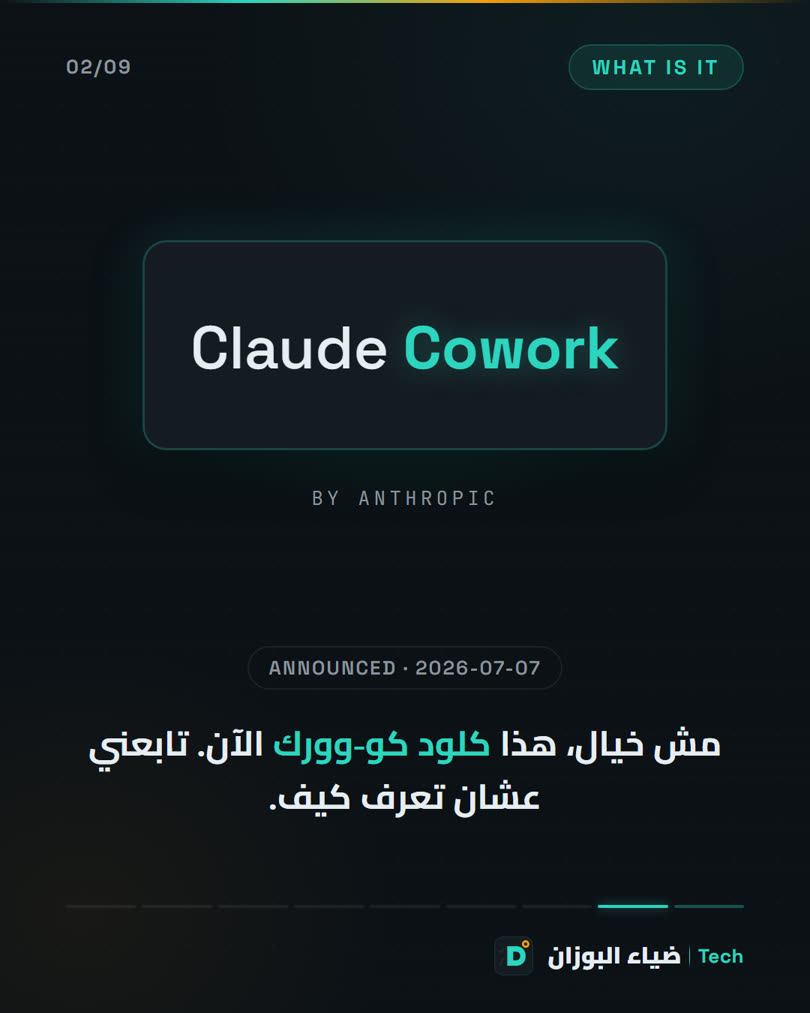
Claude CoworkTSX pipeline · /diyaa profile
Build your own skillTSX pipeline · /diyaa profile
An MVP in a weekendSilent typography
Eval-awareness — avatar reelAvatar-reel pipeline
AI memoryTSX pipeline · /diyaa profile
MCPTSX pipeline · /diyaa profile
Claude Skills — avatar reelAvatar-reel pipeline
Token Graph — avatar reelAvatar-reel pipeline
Token Graph — the research paperTSX pipeline · /diyaa profile
Token Graph — a finished ad from a camera recording/video-ad-editor pipeline · silence cutting + coded motion

Collage & generative4

How coffee conquered the worldVox-style paper-collage pipeline
How Claude learns right from wrongVox-style paper-collage pipeline
MarkItDownVox-style paper-collage pipeline
The DoorGenerative pipeline · locked, consistent character

Prompt-showcase reels — silent3

Prompt showcase — 1/prompt-showcase · music added after the render
Prompt showcase — 2/prompt-showcase · music added after the render
Prompt showcase — 3/prompt-showcase · music added after the render

What actually happens when you type the sentence

The pipeline

Every short goes through the same steps — nothing is rendered and nothing is billed before you see the plan and approve it.

  1. 01
    The plan

    Claude fact-checks first, then writes script.md: a beat table HOOK → SETUP → QUIZ → REVEAL → TWIST → LOOP, with what is on screen and the voice-over line for every beat.

  2. 02
    Motion as code

    It writes a Remotion Composition (TSX) using ready-made kits: chess, math, algorithms, maps, spreadsheets, terminal, browser… every movement tied to a word in the voice-over.

  3. 03
    Frame checks

    Before any full render, it renders phone-sized PNGs and reads them itself: clipped text, overlapping layers, text hidden under the platform UI — and fixes them first.

  4. 04
    Voice-over

    ElevenLabs, one line at a time (redo a single line without paying for the rest), and it writes the real timing of every word into beats.json.

  5. 05
    Synced captions

    It re-renders so the highlight lands on exactly the spoken word — Arabic RTL or English.

  6. 06
    SFX & music

    A sound-cue sheet sfx-plan.json from a library that is generated once and reused in every video. A draft mix — your ear is the final gate.

  7. 07
    Publishing copy

    Description, hashtags, title and first comment for every platform — ready to paste. Publishing is on you, by design.

If this sounds like you… this system is for you

Sound familiar?
01

You want to post daily but hate being on cameraEverything here is faceless — the motion, the captions and the voice are the stars.

02

One short costs you a full day of editingHere it takes one conversation. Rendering takes minutes, and a change is one sentence.

03

You tried “AI video” tools and got generic, boring resultsHere every movement is coded for your topic — not stock templates.

04

Synced captions are always late or wrongTiming comes from the word that was actually spoken, not from an estimate.

05

Nothing you found works properly in Arabic12 ready Arabic shorts, RTL layout, a Modern Standard Arabic voice, and technical terms kept in English as they are.

06

You are afraid to spend on APIs without knowing where the money wentEvery paid tool has a --dry-run, and Claude states the estimated cost before any paid call.

What you get — piece by piece

Inside the system
01Production skills

5 production pipelines

One production line, and five ways to get the pixels:

  • /make-short — fully TSX motion (the default pipeline)
  • /make-vox — Vox-style paper collage: maps, archival cutouts, a traveling camera
  • /make-ai-short — generative video clips with a locked, consistent character
  • /avatar-reel — your own talking clip + evidence panels above you
  • /video-ad-editor — camera recording → finished vertical ad: silence cutting, synced captions, coded motion, end card, SRT file
02Ready examples

27 ready shorts, 12 of them in Arabic

Each one in its own folder: the plan, the beats contract, the SFX sheet, and the exact Composition that renders it. Open it, tweak it, or ask for a version on your own topic.

  • Chess, math, algorithms, Git, probability, Excel, cybersecurity, music, money, geography, physics
  • + 14 shorts on AI and developer tools: Claude Skills, MCP, ATS, AI memory…
  • + 3 collages, a generative series, an Instagram carousel, 3 prompt-showcase reels
03Growth layer

The growth layer: research before you render

14 text-only skills that decide what to make and why — they stop at the plan, and production takes it from there:

  • 10 ranked hooks from nothing · a frame-by-frame reel breakdown
  • Idea → 30–45-second script · one article → a batch of shorts
  • A two-week calendar · up-to-date platform-algorithm research
04Brand profiles

3 visual identities + 2 profiles

Claude asks you which identity to use before every video. Edit one file, and every future short follows it.

  • The default style · my dark channel identity (teal + amber, Arabic-first) · a carbon corporate identity
  • A “captions only, no voice” profile with a reserved band for a talking head you add later
  • A style profile distilled from breaking down 10 tool-promo reels
05Dashboard

Local dashboard

A web UI on your own machine with zero dependencies: every project with its video, script and beat timeline, a form for every tool with a live preview of the command, and the render scripts as buttons.

  • Binds to your machine only, and paid tools default to --dry-run
06Tools

13 ready Python tools

Voice, SFX, music, images, clips, collage cutouts, web-page captures, safe-zone checks, Google Drive upload…

  • Standard library only for the core pipeline — no installation headaches
+The big one · The full Arabic guide

A step-by-step Arabic guide — from installation to your first short

Not a translation. A guide I wrote from my own experience on Windows 11: what to install and in what order, where the keys go, how to request your first short, what happens behind the scenes, the craft rules that keep 40 seconds gripping, what everything costs, and the errors that will stop you — with their fixes. + Arabic guides for daily use and for the dashboard.

Every skill in the project — what it does, how it works, and an example

Every skill, explained

A skill is a written playbook — a Markdown file at .claude/skills/<name>/SKILL.md — that tells Claude Code how to do one job well. You type the slash command, or describe what you want in your own words and Claude picks the right skill. Every card here: what it does, how it works, a command you can paste as is, and something real in the project it produced. All 26 skills come ready and explained in the guide.

Production — these render pixelsProduction skills8

/make-short

The default pipeline for any short: from a topic to a complete video with motion and voice.

How it works: Topic → script.md + beats.json → TSX beats over one fixed board → frame-by-frame checks → ElevenLabs voice with word-by-word synced captions → a draft SFX mix. ~40 seconds, looping back to frame 0.

Example commandmake a short about the Monty Hall problem
Real example in the projectshorts/short-5-prob ▶ Arabic version
/make-vox

Vox-style paper collage with a documentary rhythm: maps, archival cutouts, a camera traveling between scenes.

How it works: Every scene is broken into layers (Gemini images + cutout.py, an HTML→PNG page, or SVG directly) and composed on a CollageBoard camera in Remotion.

Example commandmake a vox-style short about how coffee conquered the world
Real example in the projectvox-shorts/vox-1-coffee ▶ Arabic version
/make-ai-short

The generative pipeline: video clips from an AI model with a locked, consistent character.

How it works: One character sheet in character.json; every shot is image-to-video from a frame that contains the character (Seedance 1.5 Pro on fal); the loop shot uses frame 0 as its end frame. It states the estimated cost before every paid call.

Example commandmake an AI video short with blue-man: he watches the same bus pass three times
Real example in the projectai-shorts/blue-man ▶ Arabic version
/avatar-reel

Your own talking clip → a “two-storey” reel with evidence panels above you.

How it works: Drop avatar.mp4 + script.txt in a folder. You get: TSX panels on top, your avatar in a rounded card below, word-by-word synced captions in between, real screen recordings for the “proof” beat, a comments CTA, and a cover.

Example command/avatar-reel
Real example in the projectshorts/short-25-token-graph-avatar ▶ The render
/video-ad-editor

A talk-to-camera video → a finished vertical ad, with no editing software.

How it works: Cuts the silences, adds word-timed Arabic synced captions, draws coded motion graphics that visualize what is being said (numbers, comparisons, charts), an end card, −14 LUFS loudness normalization, and an .srt file.

Example commandmake an ad out of this video
Real example in the projectshorts/short-27-token-graph-ad ▶ The render
/prompt-showcase

A silent reel in the channel’s brand that shows an AI-made result + the prompt that produced it.

How it works: The result inside a frame, the reference image beside it, and the prompt scrolling automatically, with a CTA that invites comments. Music is added after the render.

Example commandmake a prompt reel for this Higgsfield video, prompt in prompt.txt
Real example in the projectremotion/src/shots/prompt-1 ▶ The render
/vidtsx-2d-generator

The core TSX rules every pipeline follows — so Remotion never falls apart.

How it works: Frame-based motion only, increasing ranges, Easing.bezier, no useState. Use it directly for a single animated clip or a title card.

Example commandgenerate a 5-second animated title card that says "Season 2"
Real example in the projectEvery Composition under remotion/src/shots/ follows it
/suggest-sfx

The sound-effects stage for any short.

How it works: Reads the beats and word timings, suggests cues from the shared media/library/sfx library, generates what is missing via ElevenLabs, writes sfx-plan.json, and renders a draft mix for you to hear and approve.

Example commandsuggest sfx for short-5
Real example in the projectshorts/short-1-chess/sfx-plan.json — 22 cues on a chessboard

Profiles & styles — they run on top of a production pipelineProfiles & styles2

/diyaa

My channel’s fixed profile: the Diyaa Albouzan | Tech identity.

How it works: Synced captions only with no voice-over, the bottom 30% of the frame reserved for a talking head you add later, and a Reels cover with every video. It overrides any skill that conflicts with it. Copy it and rename it to write your own profile.

Example command/diyaa make a short about Claude skills
Real example in the projectshorts/short-13-skills ▶ The render
/insider-style

The AI-tool promo reel style, distilled from breaking down 10 successful reels.

How it works: Word-by-word kinetic text, floating windows, slide stacks, real footage, a comment-gated CTA. Run it with any pipeline.

Example commandmake an insider-style reel about the new MCP feature
Real example in the projectshorts/short-22-ai-memory ▶ The render

Publishing copyPublishing copy3

/post-copy

All the publishing copy for every platform, ready to paste.

How it works: Description + hashtags + titles + hidden tags + first comment + alt text for Shorts, Reels, TikTok and Facebook — built on fresh algorithm research, in Jordanian dialect, saved to output/captions-and-tags.txt.

Example commandwrite the caption and hashtags for short-26 for every platform
Real example in the projectshorts/short-26-token-graph-paper/output/captions-and-tags.txt
/algo-research

How each platform ranks short-form content this month.

How it works: Searches the web and writes a dated brief with its sources in research/. /post-copy reads it automatically if the latest brief is older than ~30 days.

Example commandresearch the algorithm
Real example in the projectresearch/algo-brief-YYYY-MM-DD.md
/caption-and-hashtags

The lighter version of /post-copy for a single video.

How it works: Description + hashtags + first comment — text only.

Example commandwrite a caption and hashtags for the coffee short
Real example in the projectText only

Growth layer — text only, never rendersGrowth layer10

/content-factory

The orchestrator: runs the whole growth layer in order.

How it works: Studies a winning format → a hook and script in your voice → hands off to a production skill → publishing copy.

Example commandrun the content factory for the AI-tools niche
/content-research

What is actually working in a niche or for a specific creator, and why.

How it works: Pulls the posts, finds the outliers that won, and explains why they did. Needs a scraping tool.

Example commandwhat's working for the reference account right now
/going-viral

The strategy layer before any video.

How it works: Pick the goal → the emotion that drives it → the hook → the funnel.

Example commandwhy aren't my reels getting saves?
/viral-hook-writer

10 ranked hooks for the first 1–3 seconds.

How it works: From a bare topic to ten opening lines ranked by strength; pick one and keep going.

Example command10 hooks for a short on compound interest
/hook-mining

Rewrites hooks you already have performance data for.

How it works: Give it a CSV of results; it keeps the psychological structure of the winners and swaps the power words.

Example commandmine hooks from hooks.csv
/reel-analyzer

A frame-by-frame breakdown of any reel you send it.

How it works: A link or a file → a written teardown: the rhythm, the shots, the hook, and why it worked.

Example commandbreak down this reel: <link>
/reel-scripter

An idea or a hook → a full 30–45-second script.

How it works: Writes the voice-over + on-screen text → a script.md ready for the production pipeline.

Example commandturn hook #3 into a 40s script
/reel-builder

A breakdown or an idea → a beat-by-beat storyboard.

How it works: On-screen text, scene, beat → beats.json, the single hand-off point into the production pipeline.

Example commandbuild the reel from that breakdown
/content-repurposer

An article / podcast / long video → a batch of shorts.

How it works: Extracts multiple ideas and scripts from a single source.

Example commandturn this podcast episode into 5 reels
/content-calendar

A batch of ideas → a two-week publishing plan.

How it works: Arranges the ideas with hooks and formats for each day.

Example commandplan my next two weeks from IDEAS.md

Need an external service — guides, not automationExternal services3

/comment-responder

A guide for turning a comment into a direct message.

How it works: Public reply → send the resource → log the lead. Nothing here posts or messages anyone — you do it by hand.

/agent-reach

Pulls content from 13 platforms for research (X, Reddit, YouTube, LinkedIn…).

How it works: Needs its own tools; agent-reach doctor shows what is working.

Example commandagent-reach doctor
/ai-brain

Long-term memory across sessions in Obsidian.

How it works: “wrap up” saves a session note, and the next session reads it. Needs a Filesystem MCP pointed at the vault.

Example commandwrap up

Python tools — run them yourself, or let Claude run them for youPython tools13

ToolWhat it doesExample
gen_voice.pyElevenLabs voice-over per line; writes the real word timings into beats.jsonpython tools/gen_voice.py --beats shorts/short-5-prob/beats.json --mux remotion/out/Short5Monty.mp4
gen_sfx.pyExpands the media/library/sfx effects library from palette.json and updates the catalogpython tools/gen_sfx.py --only whoosh-soft,pop-reveal --dry-run
gen_music.pyInstrumental music beds, loudness-normalizedpython tools/gen_music.py --only ambient-pad --length 330000
mix_sfx.pyA draft SFX mix from sfx-plan.json, ducked under the voicepython tools/mix_sfx.py shorts/short-2-math/sfx-plan.json --print
mix_music.pyA music bed under a base video, ducked hard under the speechpython tools/mix_music.py --all --base out.mp4
gen_image.pyGemini still images (pro / fast / lite) with a prompt sidecar filepython tools/gen_image.py --prompt "…" --aspect 9:16 --out x.png
gen_clip.pyA video clip from fal with any model; extras via --setpython tools/gen_clip.py --model fal-ai/bytedance/seedance/v1.5/pro/image-to-video --prompt "…"
bakeoff_clip.pyThe same prompt across several models, a labeled grid with costspython tools/bakeoff_clip.py --prompt "…" --models seedance,kling,veo-lite
cutout.pyAn image on a white background → a transparent collage cutoutpython tools/cutout.py in.png out.png --method rembg
capture_web.pyPlaywright captures of a real web page / real VS Codepython tools/capture_web.py --spec spec.json
check_safe_zone.pyVerifies the reserved avatar band is empty, frame by framepython tools/check_safe_zone.py --comp Short21EvalAware
gen_chords.pyGenerates the piano audio for short-9python tools/gen_chords.py --dry-run
upload_drive.pyMirrors output/ + cover/ to Google Drive via rclonepython tools/upload_drive.py --project short-2-math

By the numbers

What you get
27+12ready shorts + full Arabic versions
5production pipelines on one line
26skills — production, growth, publishing — each with an example
∞Free updates for every future version

What you need, and what it costs to run

Requirements & running cost

Let me be clear from the start: the price is for the system and the guide. The tools it runs on have their own subscriptions, which you pay directly to their owners.

Required

  • A paid Claude subscription — Pro from ~$20/month; Max if you produce in batches
  • An ElevenLabs account — for the voice-over and SFX (one short is ~100 words)
  • VS Code + Node 18+ + Python 3.10+ + ffmpeg — all free, and the guide walks you through them

Optional, depending on the pipeline

  • A Google Gemini key — for still images: collage layers and character sheets
  • A fal.ai key — for generative video clips (a 40-second pass ≈ $2.33)
  • Remotion — free for individuals and companies of up to 3 people

The only key you need to start: ElevenLabs. It gives you the complete default pipeline with voice, synced captions, SFX and music. Lines are cached by text hash, so you never pay twice when you re-render.

Who is this system for?

Who it's for

It is for you if you are…

  • A content creator who wants a Shorts / Reels / TikTok channel without showing your face
  • A teacher or explainer who simplifies technical or scientific topics in short clips
  • A business owner or marketer who needs daily content for your brand with a consistent identity
  • A developer or AI enthusiast who wants to see how a complete system is built on top of Claude Code
  • Someone who works in Arabic and is tired of tools that do not understand RTL

It is not for you if…

  • You want a “one-button” mobile app without ever opening VS Code
  • You do not want to pay for a Claude or ElevenLabs subscription
  • You want the system to auto-publish to the platforms for you — it does not do that, by design

Who built the system?

The builder
Diyaa Albouzan

Diyaa Albouzan — software & AI engineer

I work with AI tools every day and teach them in Arabic to thousands of followers. I built this system on top of Hassan’s open-source project (MIT) and kept developing it: the Arabic version of every short, the growth layer, the visual identities, the avatar format, the carousel, and the dashboard — and it is the same system I use for my own channel. The origin and attribution are fully documented inside the guide.

User reviews

Reviews
This product is new — be the first to share your opinion.

Tried the system and produced your first short? Send me your review (and the video, if you like) — it is published here under your first name.

Send your review

FAQ

FAQ
Do I need to know how to code?
No. You describe the short, and Claude writes the code. It helps to be able to read beats.json when something is off, and the guide shows you exactly what it looks like.
What exactly do I get after paying?
A ZIP with the complete project (the skills, the Python tools, the Remotion project with every example, the dashboard, the visual identities) + the full Arabic guide + the daily-use guide + the dashboard guide. The final MP4 files are not included because they can be reproduced from the code — you see them instantly in Remotion Studio.
What is the minimum number of API keys I need?
One: ElevenLabs. It gives you the complete default pipeline. Add Gemini for collages and images, and fal for generative clips — when you need them.
Does it work on Mac and Linux?
Yes. The tools are Python + ffmpeg + Node; nothing is Windows-specific. I develop on Windows 11 and the guide is written from there, with notes for the other systems.
Can I use my own voice?
Yes. Point the voice tool at any ElevenLabs voice, including a clone of your own. Word timings come back as usual. Or skip voice entirely and work with synced captions only, like my channel profile does.
Does it publish to YouTube and Instagram for me?
No, by design. It gives you ready-to-paste copy for every platform; uploading is on you. Nothing in the system messages anyone or posts in your name.
How is this different from the original open-source version?
The original (12 English shorts and one pipeline) is open source and you can grab it for free from GitHub — I encourage you to. What you pay for here: the full Arabic version of every short, 14 extra shorts, 4 new pipelines (collage, generative, avatar, ad editor), the growth layer, the identities and profiles, the dashboard, and above all the Arabic guide that saves you days of trial and error.
Are there updates?
Every updated version reaches you for free at the same email — without paying again.
Can I share it with my team?
This copy is for personal use. If you need a team or company license, message me on WhatsApp and I will arrange a group price.

Peace-of-mind guarantee

If you follow the guide and cannot produce your first short, message me within 7 days: I will either help you get it running, or refund you. No questions asked.

“The craft lives in files you read and edit, not in a model’s mood. Change the rule, and every future short follows it.”Type one sentence. Get a finished, looping 1080×1920 short.

Let Claude Code be your video editor

The complete system, 27 ready shorts, 12 in Arabic, and the guide that walks you from installation to your first video — download it now and produce your first short today.

$79$49
Instant downloadFree updates7-day guarantee